PushPass, FanCircles’ pass creator platform, can help you turn one-time customers into loyal fans with a single tool that sends push notifications without an app. You can communicate directly with fans on a regular basis using short-form notifications delivered directly to your customers’ phones. You don’t need an app; you need a simple click on a link or a scan of a barcode, and instantly your customers’ phones wallet as your brand is sitting in there, along with the amazing ability to be able to deliver notifications with or without links instantly, and of course more regularly than emails. This works for both Apple Wallet and Google Wallet. Pass Creator is your direct route to your audience, bypassing all algorithms and other blocking systems. Be it email or SMS spam filters.
Pass Creator: How to Create Digital Passes That Keep Your Audience Engaged
As spam filters even enter SMS messages, especially on the iPhone. Costs of SMS messages rise significantly as well as increasing the lower email open rates. It is becoming more difficult to communicate with your followers in a way that guarantees reach.
So creating passes that fit neatly into Apple’s wallet and Google’s wallet provides a unique opportunity for brands. You see, when you create passes, you open a direct line to your followers’ pocket with push notifications. And with this comes deep analytics and many other possibilities. One being the ability to create your own pass. With the FanCircles PushPass pass creator.
What Is Pass Creation and Why Create Passes for Your Audience?
So, this is where past creation and past creators become very interesting. On first view it may not seem obvious why you need to create a pass. But deep inside Apple and Google’s Pass wallet platforms lays a secret weapon – the ability to push notifications without the fan having to install a separate app. A couple of clicks and a branded app appears alongside credit cards and loyalty cards. This is prime real estate and sits in view of the fan every time they open their wallet. Deleting the pass is the same as unsubscribing from a mailing list.
Creating passes allows notifications to be pushed directly to the fans’ lock screen (instead of, of course, delivering to an email address or an app that may be deleted). There are hundreds of millions of users around the world that use both Google and Apple wallet passes on a daily basis. So even on branding purposes, this is extremely powerful. There’s no friction in installing a pass – it’s a scan of a barcode or click of a link and simply add to pass wallet.
What Can You Create Passes For?
Passes can be created for virtually any scenario. I’m sure many of you have passes for flight tickets, loyalty passes for brands you love, and of course, credit cards. Any brand, any business, any creator, any musician can create a pass. See how wallet passes work for different use cases in our solutions library. We’ve had PushPass and benefit from the audience that this can bring. Sitting alongside other high-profile brands. This ongoing engagement is worth its weight in gold. And that’s even without pushing notifications to your followers and fans.
Create Passes for Loyalty & Membership Programs
- Create passes for VIP membership cards with exclusive perks
- Create loyalty stamp card passes that track progress
- Create passes for tiered membership levels (Bronze, Silver, Gold)
- Create subscription access card passes
- Create passes for club memberships
- Create passes for rewards programs
For any of these use cases, you can post notifications allowing fans, followers, and customers to earn points for exclusive offers and discounts, and time the updates delivered directly where they are. This is direct marketing at its best and customer engagement that surpasses any other method. Customer loyalty grows, membership engagement grows, and repeat business and VIP access become a given
The Power of Push Notifications: Why Creating Passes Changes Everything
When a fan or customer or follower adds a pass to their wallet, you gain a notification channel that they’ve opted into. Of course, this can be achieved by building a mobile app, but in many cases, an app is not always required for many use cases. Push notifications can be sent via an app or via the wallet, and there’s very little difference. They still appear on the phone screen.
The power of using a wallet for this and the reasons for using a wallet pass or compelling not only can the user disable or ignore notifications, but they don’t need to remove the pass from their wallet. Being able to do this means you still get branding, most probably for the lifetime of that customer. You can also trigger location-based alerts and time-based push notifications, always knowing that permission has been implicitly given by the user under strict GDPR, CCPA, and other privacy rules worldwide.
Here’s a few reasons you may want to push a notification to update details of an event that you’re running, to announce a flash sale in a particular location, be that online or physical. Send milestones such as achievements or even potentially birthday messages, appointments, countdowns, expiration dates, new products surprise perks. All become part of something that this enables you to do, all in a short form message which appeals to all age groups.
How to Create Passes: What You Need to Know
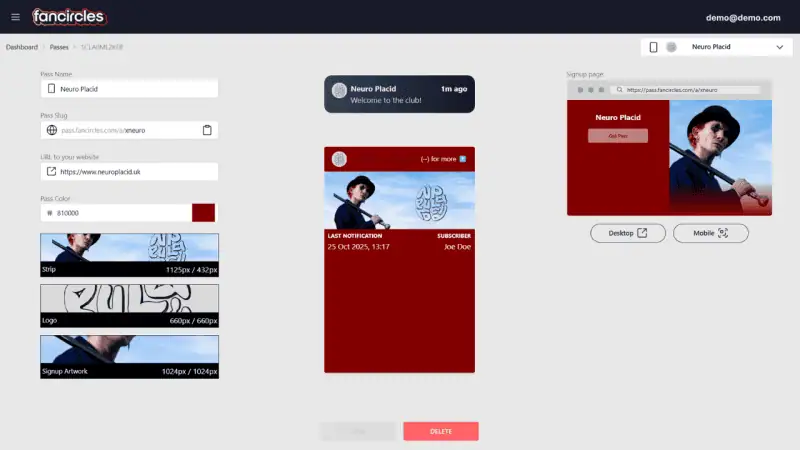
- Your branding can be uploaded
- Pass colors can be chosen
- Preview of how the pass will look appears
- With a click of a button, you can issue that pass ready for distribution
Distribution: How Your Audience Gets the Passes You Create
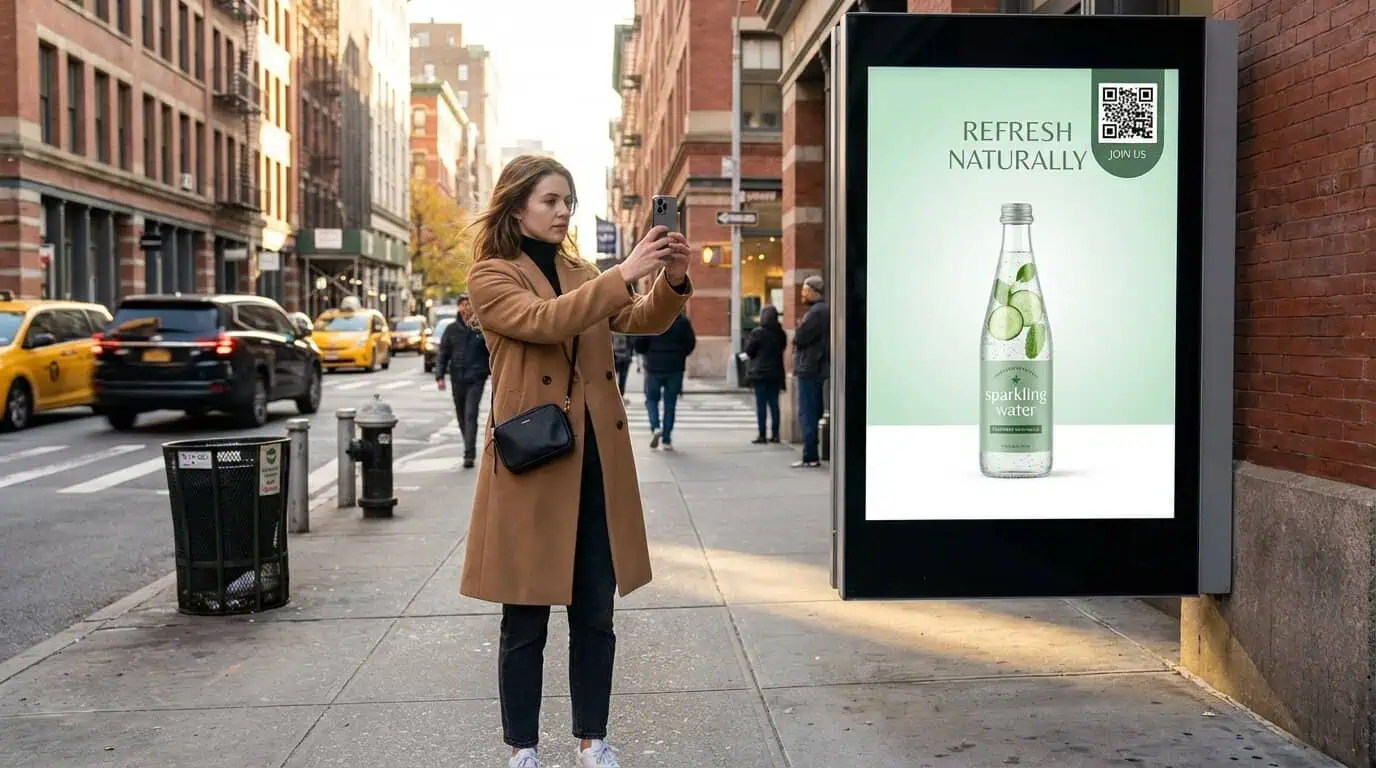
PushPass also takes care of the distribution. The unique landing page URL, or a simple QR code which can be printed or digital. You can onboard people with the click of a button. You can share on social media, or publish and print at point of sale or events. PushPass also takes care of making sure the correct pass is sent to the correct phone by making sure the Android Google Pass is sent to a Android phone, and the iPhone pass is sent to the Apple Wallet.
Once a pass has been updated, you can change the look and feel, the colors, the images, the logo at the push of a button. And like magic, the pass updates in everybody’s phone. There’s no need to redistribute. There’s real-time sync capabilities for passes you create. With real-time updates, dynamic content, and pass management, digital passes provide an incredible opportunity.
Create Passes That Build Your Community, Not Just Your Customer List
Passes don’t only allow for brand recognition but also build community. If you have the pass in your wallet, you’re part of that community. Nike’s pass is a perfect example of this. You’re creating a pass with an intention, and that intention is to give fans a way to feel part of something and to feel closer to your brand.
Thoughtful push notification strategy when you create passes:
Don’t spam when there’s no particular reason for it. In fact, there’s a limit of three notifications per day which isn’t set by us at Fancircles but set by Apple to stop abuse of the system.
Notifications should offer exclusive info, genuine perks, and be of timely relevance. You want your Pass holders to feel excited when they receive a push notification. You want them to feel a sense of belonging, a feeling of VIP status or inner circle.
Notifications should give early access or perks not available to everybody. Just make holders of passes feel special, and that community will continue to build with your brand’s voice at the center of it and injected into every creator pass, making your brand premium and something special.
How a Pass Creator Platform Works
PushPass already has over a million passes distributed and over 100+ clients. With ease being at the center of the PushPass wallet platform, you simply log in, create and design your pass, check analytics, and send notifications to segments of your audience. We integrate with hundreds of applications via our API and Zapier integrations. Meaning anyone from your technical team to your marketing director can create something special. With that instant preview you can create passes that are ready for publishing and a one-click distribution system of links or QR codes means it fits alongside your current marketing channels integrating easily online or offline.
Getting Started With a Pass Creator
Creating passes now becomes much more streamlined than in the past using the Apple Wallet and Google Wallet backbone. Access to millions of daily users is simple, with no algorithms to fight and first-party data at the heart of it, you own your relationship with your customer directly. The question shouldn’t be whether to create a pass, it should be when are you ready to create a pass. Your audience already wants push notifications to their lock screen and FanCircles PushPass allows you to reach those fans and stand out in the crowded marketplace. So begin creating your audience in Google and Apple Wallets now, it’s affordable for all sizes of audience, and be front and center with your brand and reach with PushPass.
A 15-minute call. Your brand on your lock screen before it ends.