
Why Lock Screen Marketing exists
Every brand, creator and business has the same problem right now. The channels they rely on to reach their audience are all getting harder at the same time, and none of them combines reach, a persistent presence and so little effort for the audience the way a wallet pass notification does.
Email competes in a crowded inbox, and more promotional email than ever gets sorted into tabs and folders that people rarely check. You can have a big list and still find that only a small part of it ever sees what you send.
Social media is still where people discover you, but organic reach has fallen so far that on the biggest platforms the average post reaches fewer than 5% of followers, according to Socialinsider.
Building a mobile app sounds like the obvious answer until you look at what it takes. A good app can cost anywhere from $50,000 to $500,000 to build, and then you have to maintain it. People have to find it, download it and keep it, and even then the app has to ask permission before it can send a single notification, a prompt it only gets to show once. Few people will download an app for a brand they’ve only just discovered.
Lock screen marketing gets around all of this in one move, because the wallet pass handles both presence and notifications in a single tap. When someone adds your pass, they add your brand to their phone and opt in to your lock screen notifications at the same time. There’s no second step, no separate permission prompt and no app store visit. From the moment the pass is in their wallet, you can reach them whenever you want.
How wallet passes power Lock Screen Marketing
A wallet pass isn’t just a digital card that sits in someone’s phone. It’s the piece that makes lock screen marketing work, because without the pass there’s nothing for the notification to travel through. Notifications are only one of the benefits of wallet passes, but they’re the one that makes this whole channel possible.
Here’s how it works, from your audience’s side and yours.
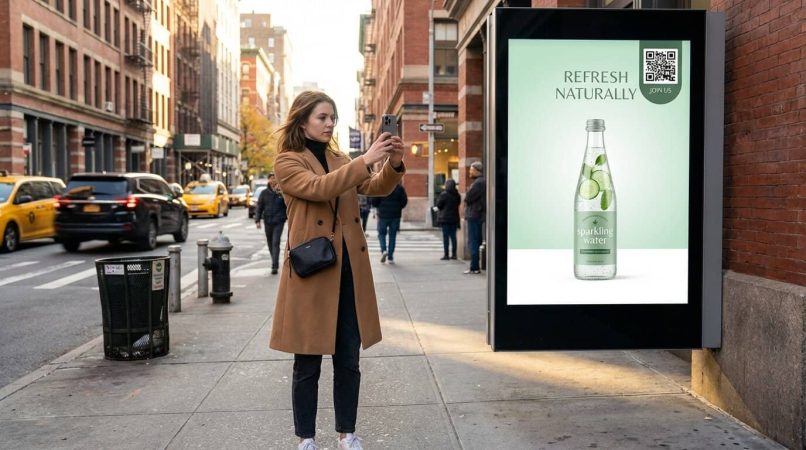
Your audience adds the pass. They tap a link or scan a QR code, and a pass branded with your logo, your colors and whatever matters to your audience goes into their Apple Wallet or Google Wallet with one tap. It feels exactly like adding a boarding pass or a loyalty card, so it’s familiar and trustworthy from the very first moment.
The pass stays in their wallet. Once it’s added, it sits alongside their other cards and passes until they choose to remove it. It isn’t a notification that disappears when it’s swiped away, or an email that gets archived and forgotten. It’s a persistent piece of your brand on their phone, there every time they open their wallet to pay for something, and that persistence is what separates lock screen marketing from email and SMS, which leave nothing on the phone between sends.
The pass is the channel your notifications travel through. Apple Wallet and Google Wallet can show notifications on the lock screen, so when you write a notification and press send, it appears on the lock screen of every phone that has your pass, just like a text message or a calendar reminder, rather than in an inbox or a feed.
Wallet notifications are the ones people rely on for their boarding passes, event tickets and payments, which is why they get seen. Lock screen marketing gives you 100% reach, because every phone that has your pass gets your notification on its lock screen.
The YouTube problem that makes Lock Screen Marketing urgent
If you’re a YouTuber or video podcaster, this section might change how you think about your audience, because the way people watch has shifted under your feet.
More than half of YouTube viewing now happens on TV screens, and in 2025 Nielsen’s Media Distributor Gauge reported that YouTube had the largest share of US TV viewing of any media company. A big part of your audience is watching on a screen where they can’t tap the link in your description, can’t visit your website and can’t do anything beyond watching and getting on with their evening.
TVs also aren’t built to interrupt what you’re watching with an alert about someone’s new upload. The bell notification goes to the viewer’s phone, which is face down on the sofa, charging in another room or buried in a pocket, and by the time they pick it up it’s one alert among many. YouTube has also tested sending fewer notifications to subscribers who don’t engage often, as Lon Seidman reported, so even people who asked to hear about every video may not. On his own channel, only about 10% of subscribers had clicked the bell, and just 3.9% of those had YouTube notifications switched on for their phone.
Lock screen marketing solves this because the wallet pass works whatever screen the viewer is watching. A QR code on screen during your video works just as well on a phone, a tablet or a big television, because all the viewer has to do is point their phone at the screen, scan the code and tap once to add your pass. From then on, every time you publish a new video, you send a lock screen notification through the pass, and your audience sees it the next time they pick up their phone, whether they were watching TV, out walking or in a meeting. You no longer depend on the bell icon to do the job.
Why TV advertising needs Lock Screen Marketing
The YouTube problem is one version of a much bigger issue that affects everyone who advertises on television, because TV has always had the same limitation. Viewers can’t click the screen.
Connected TV advertising keeps growing, and more TV ads now carry a QR code so viewers can act on what they’ve just seen. Brands spend serious money to win that moment of attention.
But there’s a flaw in how most brands use those QR codes. The usual approach is a QR code that opens a website, a campaign page or a product page. The viewer scans it, has a quick look and leaves. The brand paid for the viewer’s attention, the viewer did the work of scanning, and both walk away with a single page visit that probably didn’t convert.
It’s a wasted opportunity, because the viewer has already done the hardest part. They’ve picked up their phone, opened the camera and scanned your code. That moment of attention is valuable, and sending it to a website spends it on a one-off visit with no way to follow up.
Lock screen marketing changes what that scan leads to. Instead of linking the QR code to a website, you link it to a wallet pass. The viewer scans, taps once to add the pass to Apple Wallet or Google Wallet, and now you can reach them again. Every future notification, whether it’s a product launch, a sale or a new season, goes straight to their lock screen through the pass they added during your ad. With the right call to action, such as “add the pass for early access” rather than “visit our website”, you capture far more of the people who saw it.

This turns a 30-second TV spot into the start of an ongoing connection with your audience, and the channel it creates keeps working for weeks, months and years after the ad has aired.
For brands already running connected TV campaigns, the change is small in execution but big in impact. You’re not redesigning the ad or changing the media buy. You’re only changing what the QR code points to, from a website people visit once and forget to a wallet pass that stays on their phone and lets you reach their lock screen whenever you want.
Film and entertainment promotions are a particularly strong fit, because a release naturally creates several moments worth a notification. A viewer scans a QR code on a trailer, adds the pass, and then hears about the premiere date, when tickets go on sale, merch drops, behind-the-scenes content and, eventually, where the film is streaming. One scan during one trailer creates a channel that spans the whole release.
And because every wallet pass can carry its own QR code for friends to scan, the TV ad doesn’t stop at the viewer who scanned it. Their pass can be shared with friends, family and colleagues, so the reach of the original ad goes well beyond the living room where it first aired.

Who Lock Screen Marketing is for
Lock screen marketing works for anyone with a returning audience. If people come back to you more than once, a wallet pass gives you a direct, persistent way to reach their lock screen whenever you need to.
YouTubers and video podcasters.
The TV viewing problem makes this the most urgent use case right now. Every video you publish can carry a QR code that gives viewers your wallet pass, turning passive watchers into an audience you can actually reach on their lock screen, rather than hoping the bell icon does the job for you.
Restaurants, pubs, and hospitality chains.
QR codes already appear on tables, menus and receipts, and a restaurant loyalty program in the wallet turns a one-off visitor into a regular who hears about daily specials, events and member offers on their lock screen. Friends who eat and drink together share passes naturally, so the pass spreads through groups of friends on its own.
Influencers and content creators.
Anyone with a following faces the same problem with reach, and a wallet pass gives you a channel you own, so your notification arrives on your fans’ lock screens whatever happens to reach anywhere else this week.
Brands and retailers.
QR codes on packaging, in-store displays and print ads can bring in wallet pass adds that give you a persistent lock screen channel with your customers. It works especially well for brands that release new products regularly, because every pass holder hears the moment something new drops.
TV advertisers and CTV campaigns.
If you already spend on TV advertising, swapping a website QR code for a wallet pass QR code turns every ad from a one-off impression into a lasting channel. The viewer scans during the ad, adds the pass, and you can reach their lock screen for months and years after the spot aired. You’re building a direct audience from your TV budget, rather than renting attention for 30 seconds.
News and media creators.
People who follow news channels, commentary shows and newsletter writers want to know the moment something new is published, and a wallet pass notification puts it on their lock screen straight away.
Events and entertainment.
Films, theater shows, conferences and events of every kind can use wallet passes to keep their audience close after the first connection. A viewer scans a QR code on a trailer or a poster, adds the pass, and then gets lock screen notifications about premieres, ticket releases, merch offers and whatever comes next.
Sports clubs and membership clubs.
Clubs already have a loyal crowd, from season ticket holders to members who turn up every week. A pass shared at the gate, the clubhouse or the members’ bar lets you tell them about fixtures, ticket releases, member offers and last-minute changes on their lock screen, and every member can share it with a friend who should be there too.
How wallet pass notifications differ from web push notifications
This distinction matters because the two are often confused, and they’re different in how they work, how they feel to the person receiving them and how much attention they get.
Web push notifications are the pop-ups you get from websites. You visit a news site, a box asks whether you want notifications, you click allow or block, and if you allowed them, that website can send you notifications through your browser. On iPhone, web push only works after someone adds the site to their home screen as a web app.
The problem with web push is that it has no anchor on the phone. There’s no lasting presence, no pass in the wallet and nothing that ties the notification to a relationship the person chose, so it can feel like spam. When a web push notification arrives, nothing on the phone reminds them why they’re getting it.
Lock screen marketing through wallet passes is the opposite. The pass lives in Apple Wallet or Google Wallet as a visible, branded pass the person added on purpose, so when a notification arrives they know exactly who it’s from and why, and they can see the pass in their wallet at any time. It isn’t a random alert from a site they visited once. It comes from something they chose to keep on their phone.
There’s no browser permission prompt either. Adding the pass is the opt-in, which feels very different to the person than granting a website access to their notifications.
The viral sharing mechanic built into every wallet pass
Most notification channels only go one way. You send an email or a text, the person reads it or doesn’t, and that’s the end of it. Lock screen marketing has a sharing loop built in that email and SMS can’t offer, and it’s powered by the wallet pass itself.
A wallet pass can carry a QR code, and when someone shows their pass to a friend, the friend scans it and adds their own copy with one tap, with no form to fill in and no app to download. From then on they get your lock screen notifications too, and they have their own QR code to share with someone else.
So your audience grows without you paying for every new person. A fan shares with a friend, the friend shares with another friend, and each new pass holder is both someone you can notify and a possible source of more pass holders. You can even reward it, giving points to the person who shared for every friend who joins.
For creators and businesses with passionate audiences, this can be powerful. Fans of a channel share with friends who watch the same kind of content, regulars at a pub share with the people they drink with, and members of a club share with the friend who should join them. The sharing happens face to face, which carries more trust than a share button.

How Lock Screen Marketing compares to other channels
Here’s a plain comparison of lock screen marketing with the channels most brands and creators rely on today.
Email marketing competes for attention in a crowded inbox, and more promotional email is filtered into tabs and folders every year. Getting onto an email list also means filling in a form, which plenty of visitors won’t bother with. A wallet pass is added with one tap from a link or a QR code, and every notification appears on the lock screen rather than in a folder the person hasn’t checked since last Tuesday.
SMS marketing gets read, but it’s paid for every message, it needs a phone number, and since iOS 26 iPhones can screen texts from unknown senders out of sight. It can also feel intrusive to people who don’t want brands texting their personal number. Lock screen marketing reaches the same lock screen without paying for every message, and because it comes through a wallet pass rather than a phone number, it feels far less intrusive.
Social media is still the best place to be discovered, but organic reach has fallen so far that most of your followers never see your posts. A wallet pass works alongside it. Social is where people find you, and the pass is how you reach the people who chose to hear from you, on their lock screen.
Mobile apps are expensive to build and maintain, people have to download them, and the notification permission prompt can only be shown once. Lock screen marketing needs no app at all, because the wallet pass uses the wallet that’s already on the phone, and the pass stays there until the person decides to remove it.
Web push notifications struggle with low opt-in, frequent blocking and limited support on iPhone, where they only work once a site is added to the home screen. Lock screen marketing uses the wallet that comes with the phone, and because each notification is tied to a real pass in the wallet, it carries a trust that browser notifications can’t match.
How to get started with Lock Screen Marketing
Getting started is simpler than most people expect, and the only thing your audience needs is the phone they already carry.
Choose a wallet pass platform. Look for one that lets you create a branded wallet pass with your logo and colors, gives you a link and a QR code for every campaign, and shows you how many people added the pass and what they clicked.
Create your pass. It becomes the visible sign of your relationship with your audience, and the channel that lets you reach their lock screen whenever you choose.
Share the link and the QR code everywhere. Put the QR code on your videos, your packaging, your posters and the counter, and the link in your emails, on your website and in your social profiles. Every add is another lock screen you can reach.
Send your first notification. Write something short and clear with a link to wherever you want to send people, then see how many click through and compare it with the channel you used before.
Frequently asked questions about Lock Screen Marketing
Is lock screen marketing the same as web push notifications?
No, and it’s the most common mix-up. Web push notifications come through a browser and need a permission prompt that many people block, and they have no presence on the phone. Lock screen marketing works through a wallet pass in Apple Wallet or Google Wallet, so there’s a branded pass on the phone, and your notifications reach its lock screen through it.
What makes a good lock screen notification?
Keep it short, specific and worth the interruption. Lead with what the person gets, such as early access, a new release or a reason to visit today, and add a link to wherever you want them to go. Write it the way you’d text a friend, not the way a press release reads.
When should I send a lock screen notification?
Send it when your audience can act on it, such as the moment a product drops, as the doors open at an event or the evening before an offer ends. Notifications in the middle of the night are an annoyance, and fewer, better-timed notifications keep people glad they added your pass.
Is lock screen marketing intrusive?
It shouldn’t be, because people choose to add your pass, and they can switch off its notifications or remove the pass whenever they like, just as they’d unsubscribe from an email. The brands that do well send notifications people are glad to get, and nothing else.
Why should a TV ad’s QR code open a wallet pass rather than a website?
A website visit is usually a one-off, and once the viewer closes the page you have no way to reach them again. A wallet pass turns the same scan into a channel, so you can send that viewer a lock screen notification about the next launch, the next sale or the next season, long after the ad has aired.
Does lock screen marketing work for B2B brands?
Suppliers, wholesalers and other B2B brands can use a wallet pass to tell trade customers about new stock, order cut-offs, delivery changes and offers, and the notification reaches the lock screen of the buyer who needs it rather than a shared inbox.
Want to know more? PushPass might be the solution. See how our push notification platform reaches every lock screen with no app.


