
The Best Way to Notify Listeners of Podcast New Episodes

The best way to notify listeners of podcast new episodes is a lock screen notification that arrives as soon as you publish. Listeners add your branded pass once, from a link in your show notes or a QR code on a video episode, and every new episode alert from then on goes straight to their lock screen with a link to listen. Podcast apps don't always make new episodes obvious, so a direct line to your listeners means fewer of them miss one.

14-day money-back guarantee. No contracts. Cancel any time.

See a live pass and talk through your plans. For businesses and creators planning a wallet pass.
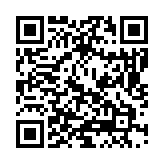
QR code that adds the FanCircles pass to your phone walletOr point your phone camera here to add our pass to your wallet.
Two podcast hosts recording, with a wallet pass and a new episode notification on the lock screen

Product highlights

Episode Alerts on the Lock Screen

Every new episode notification goes straight to the lock screen of each listener who has added your pass, whichever podcast app they use.

One Link, Every Listening App

Link each notification to your episode page and listeners pick their own app from there, so nobody is left out.

Join in Two Taps From the Show Notes

A link in your show notes or a QR code on a video episode adds the pass in two taps, with no app to download and nothing to fill in.

Common questions

What's the best way to notify listeners of podcast new episodes on every app?

Send one notification with a link to your episode page and let listeners choose their app from there. The notification reaches their lock screen whichever podcast app they use. Working across every app is one of the benefits of wallet passes for podcasts.

When should we send the new episode notification?

As soon as the episode is live, or at the time your listeners usually press play, such as the morning commute. The notification sits on their lock screen, so it's there when they're ready.

How do listeners add the pass when they're listening rather than looking?

Mention it briefly in the episode and put the link at the top of your show notes. On video episodes, a QR code on screen lets people watching on a TV add it with their phone.

Can we tell listeners about a bonus or older episode?

Yes, any notification can link to any episode, so you can bring back an older episode when its subject is in the news again.

Can we see which episode alerts listeners actually click?

Yes, each notification gets its own short link, so the dashboard shows how many listeners clicked through from every episode alert.

Can a guest's listeners join too?

Give each guest their own link or QR code to share with their audience, and you can see how many new listeners each guest brought in.

14-day money-back guarantee. No contracts. Cancel any time.

See a live pass and talk through your plans. For businesses and creators planning a wallet pass.

QR code that adds the FanCircles pass to your phone walletOr point your phone camera here to add our pass to your wallet.

Explore other solutions for Podcasters

Send Push Notifications Without an App

Push notifications reach people on the screen they check most, but on a phone the...

Fan Club Solution for Podcasters

A fan club solution for podcasters has to work in the real world where people...